The Recorder
Overview
The Sentiero recorder is a JavaScript module built on rrweb. It captures DOM mutations and user interactions, compresses them with gzip, and sends batches to the server. This page covers the recorder’s internal behavior: how events flow from capture to delivery, what happens on failure, and how configuration affects each stage.
For privacy controls, see Privacy & Masking. For custom event tracking, see Custom Events.
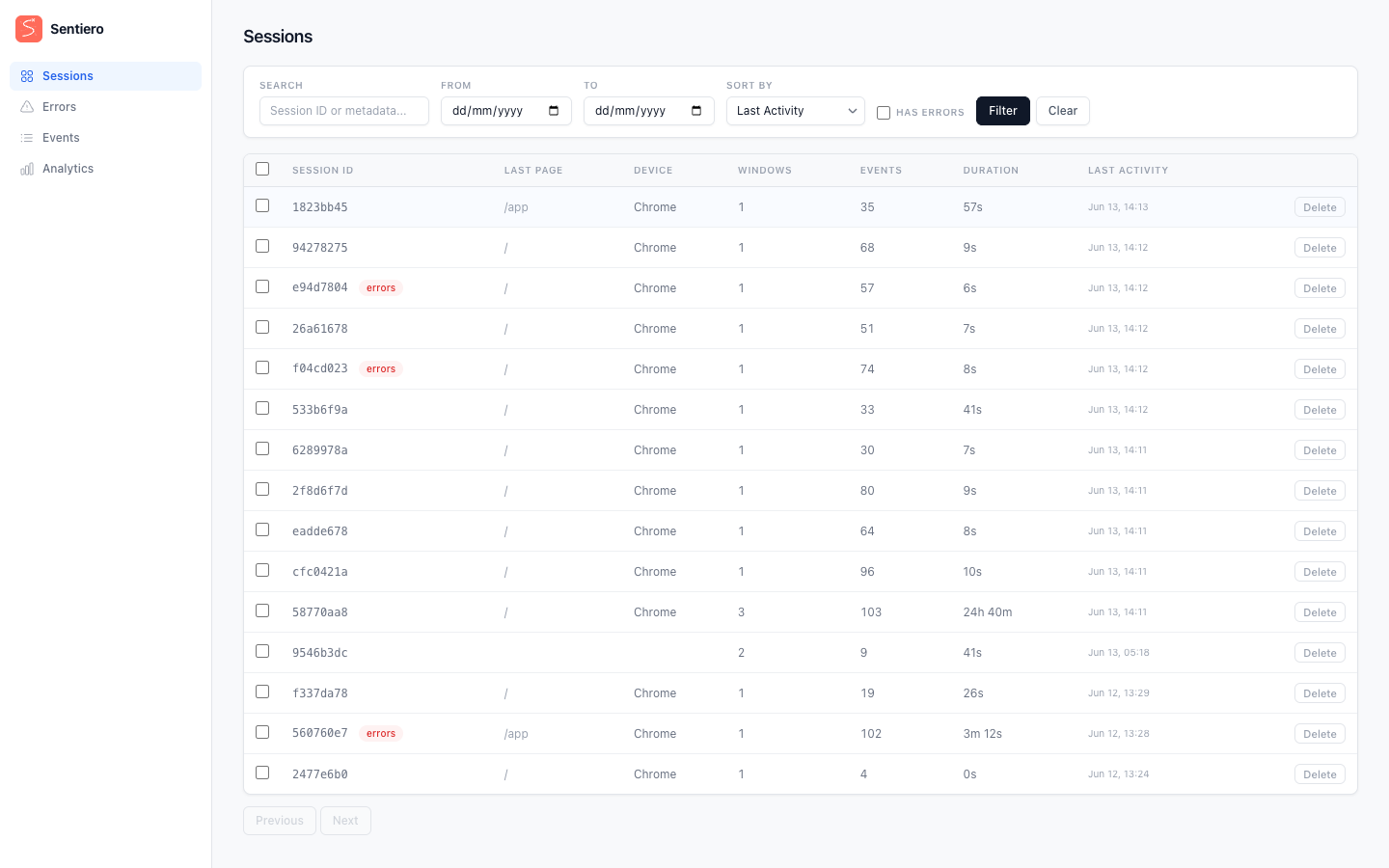
Recorded sessions appear in the dashboard’s session list, with per-session event counts, duration, and error badges.
How the Recorder Loads
The recorder is loaded via two elements injected by Sentiero::Web::ScriptTag.render:
<script type="application/json" id="sentiero-config">{"eventsUrl":"/sentiero/events","flushIntervalMs":10000,...}</script>
<script src="/sentiero/assets/recorder-HASH.js"></script>
On load, the recorder:
- Reads the JSON config element (
#sentiero-config). If absent, falls back to derivingeventsUrlfrom the script’s own URL. - Creates a
Transportinstance with flush settings and session IDs. - Starts rrweb recording with privacy defaults merged in.
- Registers
visibilitychangeandpagehidelisteners for page-close flushing. - Optionally enables error capture, navigation tracking, and custom event tracking based on config flags.
- Starts the periodic flush timer.
If no config element is found and eventsUrl cannot be derived, recording is silently disabled.
Batching Strategy
Events are buffered in memory and sent in batches. A batch is flushed when either 10 seconds have elapsed or the buffer accumulates 50 events, whichever comes first. Both thresholds are configurable.
| Trigger | Default | Config key |
|---|---|---|
| Time elapsed since last flush | 10,000 ms | flush_interval_ms |
| Event count in buffer | 50 events | flush_event_threshold |
The time-based flush runs on a setInterval; the count-based flush triggers synchronously inside addEvent. A flush is skipped if another is already in progress or the backoff period has not elapsed.
Page Hide / Unload
When the user navigates away or closes the tab, remaining buffered events are sent via navigator.sendBeacon. This is a best-effort mechanism; the browser may still drop the request.
Two events trigger beacon flush:
visibilitychangewhendocument.visibilityState === "hidden"pagehide
Beacon payloads are not gzip-compressed (unlike normal flushes). They are sent as plain JSON blobs.
If the payload exceeds 64,000 bytes the buffer is split in half; the first half is sent and the second is dropped. A single-event buffer that still exceeds the limit is abandoned entirely.
Compression
Normal (non-page-close) flushes gzip-compress the JSON payload before sending, which substantially reduces payload size for typical DOM-heavy recordings.
The payload is JSON-stringified, encoded with TextEncoder, compressed with gzipSync (fflate), and sent via fetch with Content-Encoding: gzip. Beacon flushes skip compression because sendBeacon does not support custom headers.
Retry with Exponential Backoff
When a flush fails, the events are re-queued and the transport backs off before retrying. After 10 consecutive failures the buffer is dropped to prevent unbounded growth.
On failure, events are re-queued at the front of the buffer and _metadataSent is reset so metadata is re-sent on the next successful flush. The backoff formula is min(1000 * 2^(retryCount - 1), 30000) ms, giving the sequence: 1s, 2s, 4s, 8s, 16s, 30s, 30s, 30s, 30s, 30s. On success, retry state is cleared.
Buffer Overflow
The buffer is capped at 5,000 events. If the server is unreachable long enough for the buffer to fill, the oldest events are dropped to keep memory bounded. A console warning is logged when this happens.
Session and Window ID Management
Sentiero uses two IDs to organize recordings:
| ID | Storage | Scope | Purpose |
|---|---|---|---|
| Session ID | localStorage (default) or sessionStorage |
User/browser | Groups all activity from one user |
| Window ID | sessionStorage |
Tab | Distinguishes concurrent tabs within a session |
After recording starts, these IDs are also mirrored into two first-party cookies (sentiero_sid and sentiero_wid) so the server-side reporter can link server exceptions to the front-end replay. See Browser Storage & Cookies in the Privacy guide for cookie details and EU consent implications.
Cross-Tab Sessions
When cross_tab_sessions is true (the default), the session ID is stored in localStorage. All tabs in the same browser share the same session ID. This produces a unified recording of the user’s journey across tabs.
When cross_tab_sessions is false, the session ID is stored in sessionStorage. Each tab gets an independent session ID. Tabs are not correlated.
The window ID always uses sessionStorage regardless of the cross_tab_sessions setting.
ID Generation
IDs are generated with crypto.randomUUID() (UUID v4). If storage is unavailable (private browsing, storage quota exceeded), a per-page fallback is used: the ID is generated once and held in a module-scoped variable. It will not persist across page loads in this fallback mode.
Configuration
Recorder behavior is driven by Ruby config options serialized into the JSON config element. See Configuration for the full reference of flush, capture, and tracking options, and Privacy & Masking for masking and other privacy-related rrweb options.
Metadata Capture
When capture_metadata is enabled, the first flush includes a metadata field with:
| Field | Source |
|---|---|
url |
window.location.href |
referrer |
document.referrer |
userAgent |
navigator.userAgent |
viewport |
${innerWidth}x${innerHeight} |
Metadata is sent once on the first successful flush. If custom metadata is added via window.Sentiero.setMetadata({...}), updated values are included in subsequent flushes.
If a flush fails, _metadataSent is reset so metadata is re-sent on the next attempt.
Error Capture
When capture_errors is enabled, the recorder listens for:
errorevents capturemessage,source,lineno,colno, andstack. (sourceis the file URL fromevent.filename; the payload key issource, notfilename.)unhandledrejectionevents capture the rejectionmessageandstack.
Both are recorded as rrweb custom events with the tag "error". They appear in the session timeline during replay. Error listeners are wrapped in try/catch to prevent infinite error loops if the recording itself throws.
For how these client-side errors surface in the dashboard and how server-side exceptions are linked to replays, see Error Tracking.
Navigation Tracking
When track_navigation is enabled, the recorder listens for clicks on <a href="..."> elements (capture phase) and records a custom event with tag "navigation" containing:
| Field | Value |
|---|---|
url |
The link’s href |
text |
Link text content (truncated to 100 chars) |
external |
true if the link points to a different origin |
Skipped links: javascript: hrefs, bare # anchors, same-page hash links.
Transport Lifecycle
init() -> readConfig() -> new Transport() -> record({emit: ...}) -> transport.start()
                                                   |
                                          addEvent(event)
                                                   |
                                    buffer.push -> overflow check -> threshold check
                                                                          |
                                                                     flush() [fetch + gzip]
                                                                          |
                                                                  success: reset retry
                                                                  failure: re-queue + backoff
                                                                          |
                                                           [page hide] -> flushBeacon() [sendBeacon, no gzip]