Custom Events
Sentiero supports two ways to fire custom rrweb events: an imperative JavaScript API and a declarative HTML attribute system.
Both appear as purple markers in the replay timeline. The tags they emit feed the Funnel and Conversions analytics, which build steps and conversion rates from custom-event tags.
Imperative API
Call window.Sentiero.addCustomEvent(tag, payload) from your own JavaScript:
window.Sentiero.addCustomEvent("signup_clicked", { plan: "pro" });
This is always available; no config flag needed.
Declarative Tracking
Add data-sentiero-track-{event} attributes to HTML elements. When the specified DOM event fires, Sentiero automatically emits an rrweb custom event with the attribute value as the tag.
Requires opt-in:
Sentiero.configure do |config|
  config.track_custom_events = true
end
Attribute Format
data-sentiero-track-{dom-event}="{custom_event_tag}"
Supported DOM Events
| DOM Event | Attribute | Typical Use |
|---|---|---|
click |
data-sentiero-track-click |
Buttons, CTAs, cards |
change |
data-sentiero-track-change |
Dropdowns, checkboxes, radio buttons |
submit |
data-sentiero-track-submit |
Forms |
focus |
data-sentiero-track-focus |
Search fields, inputs |
blur |
data-sentiero-track-blur |
Input abandonment |
Examples
Simple click:
<button data-sentiero-track-click="signup_clicked">Sign Up</button>
Click with payload (via data-sentiero-data):
<button data-sentiero-track-click="plan_selected"
        data-sentiero-data='{"plan":"pro","price":29}'>
  Choose Pro
</button>
Select change:
<select data-sentiero-track-change="filter_changed">
  <option value="newest">Newest</option>
  <option value="popular">Most Popular</option>
</select>
Form submit:
<form data-sentiero-track-submit="checkout_started" action="/checkout" method="post">
  <!-- fields -->
  <button type="submit">Check Out</button>
</form>
Focus and blur on the same element:
<input type="text"
       data-sentiero-track-focus="search_focused"
       data-sentiero-track-blur="search_blurred"
       placeholder="Search...">
Rails ERB:
<%= link_to "Upgrade", upgrade_path,
      data: { sentiero_track_click: "upgrade_clicked" } %>

<%= f.submit "Place Order",
      data: { sentiero_track_click: "order_placed",
              sentiero_data: { item_count: @cart.size }.to_json } %>
Payloads
Attach a static JSON payload to any tracked element via data-sentiero-data (shown in the “Click with payload” example above). The payload must be valid JSON; if parsing fails the event is silently dropped.
How It Works
- Uses event delegation on
documentin the capture phase, one listener per event type. - Handles dynamically added elements automatically (no setup needed for elements added after page load).
- Walks up from
event.targetusingclosest()to find the nearest element with the matching attribute.
Validation and Limits
Event names are validated against /^[a-zA-Z0-9_.\-]{1,100}$/. Invalid names are silently ignored.
The data-sentiero-data attribute is capped at 4KB raw length. Oversized payloads are dropped. Invalid JSON is dropped.
No user-supplied strings are evaluated as code.
Combining with the Imperative API
Both approaches work together. Use declarative attributes for static interactions; use window.Sentiero.addCustomEvent when the payload must be computed at runtime:
document.getElementById("checkout").addEventListener("click", () => {
  window.Sentiero.addCustomEvent("checkout_started", {
    cartTotal: calculateTotal(),
    itemCount: getItemCount()
  });
});
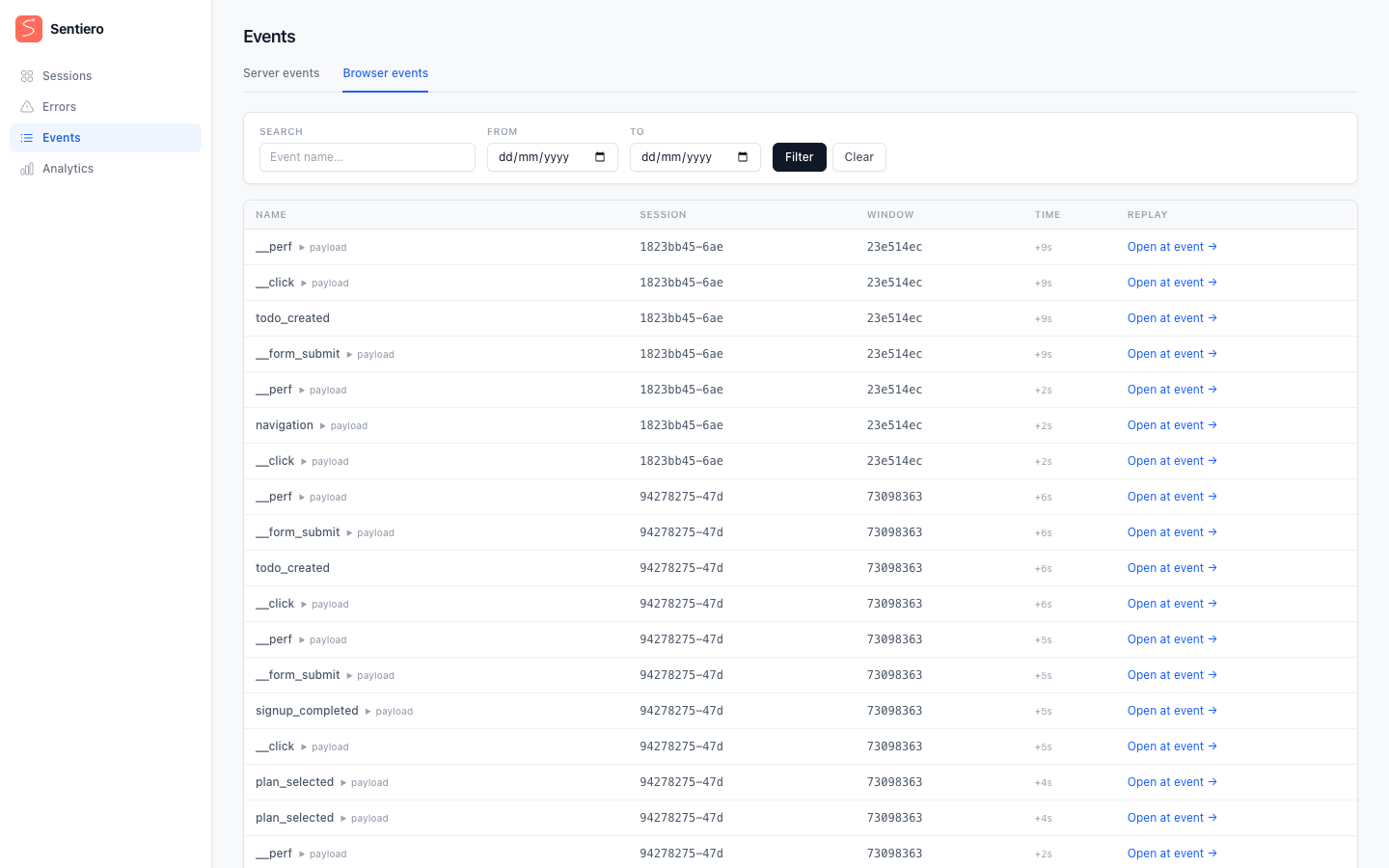
Custom events as they appear in the dashboard’s Events view: tag names, timestamps, and optional JSON payloads.